Labelist
Generate QR codes, barcodes and 2D codes — one at a time or hundreds at once. Export as PNG, JPG or PDF. Works completely offline. Free forever.
📸 Screenshots
✨ Key Features
📖 About Labelist
Labelist is a lightweight, offline desktop application built for anyone who needs to generate codes quickly and reliably. Whether you're a small business owner generating barcodes for your products, a warehouse manager labelling inventory, a teacher creating QR codes for a worksheet, or a developer testing scan workflows — Labelist has you covered.
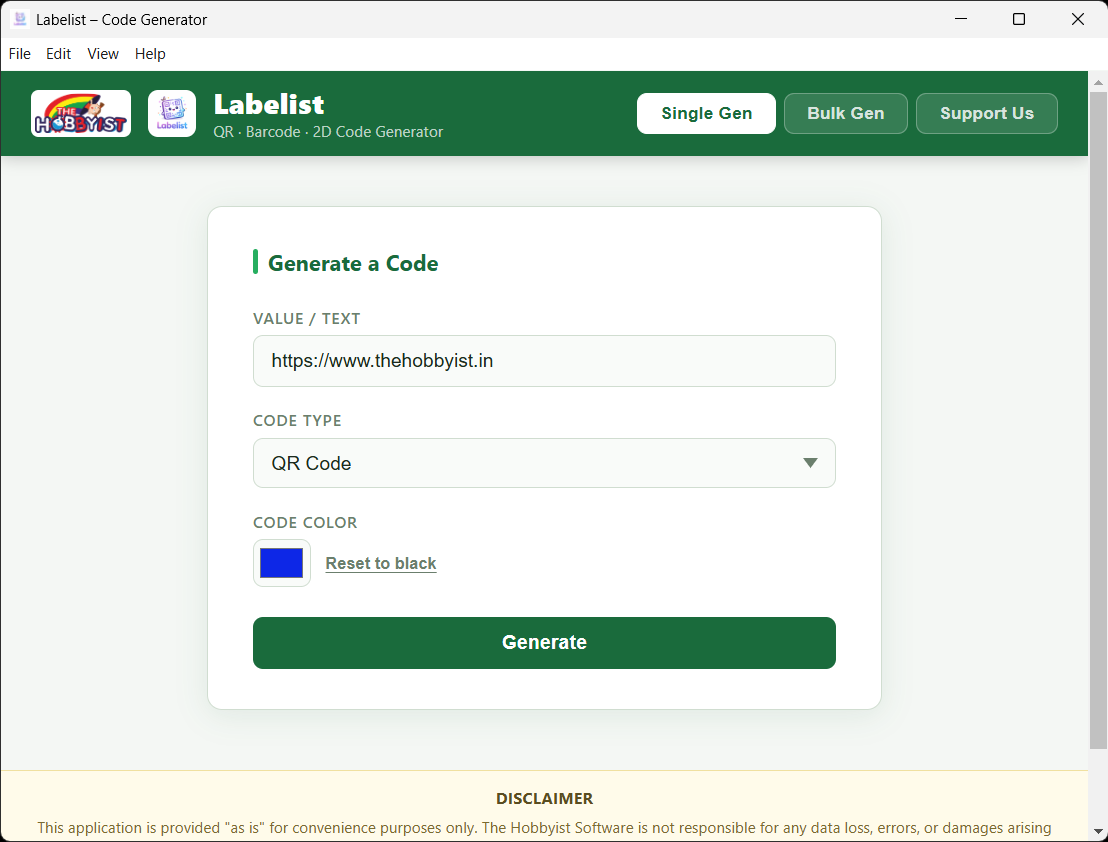
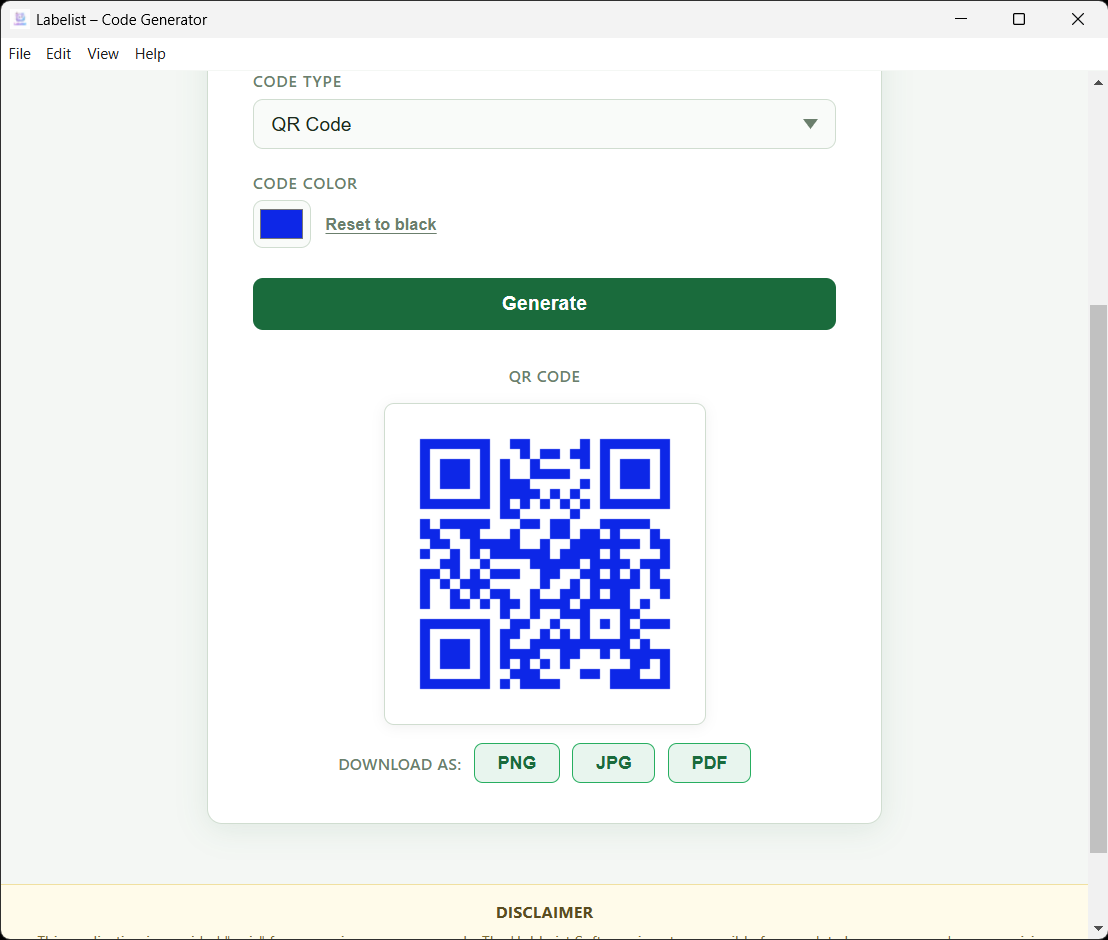
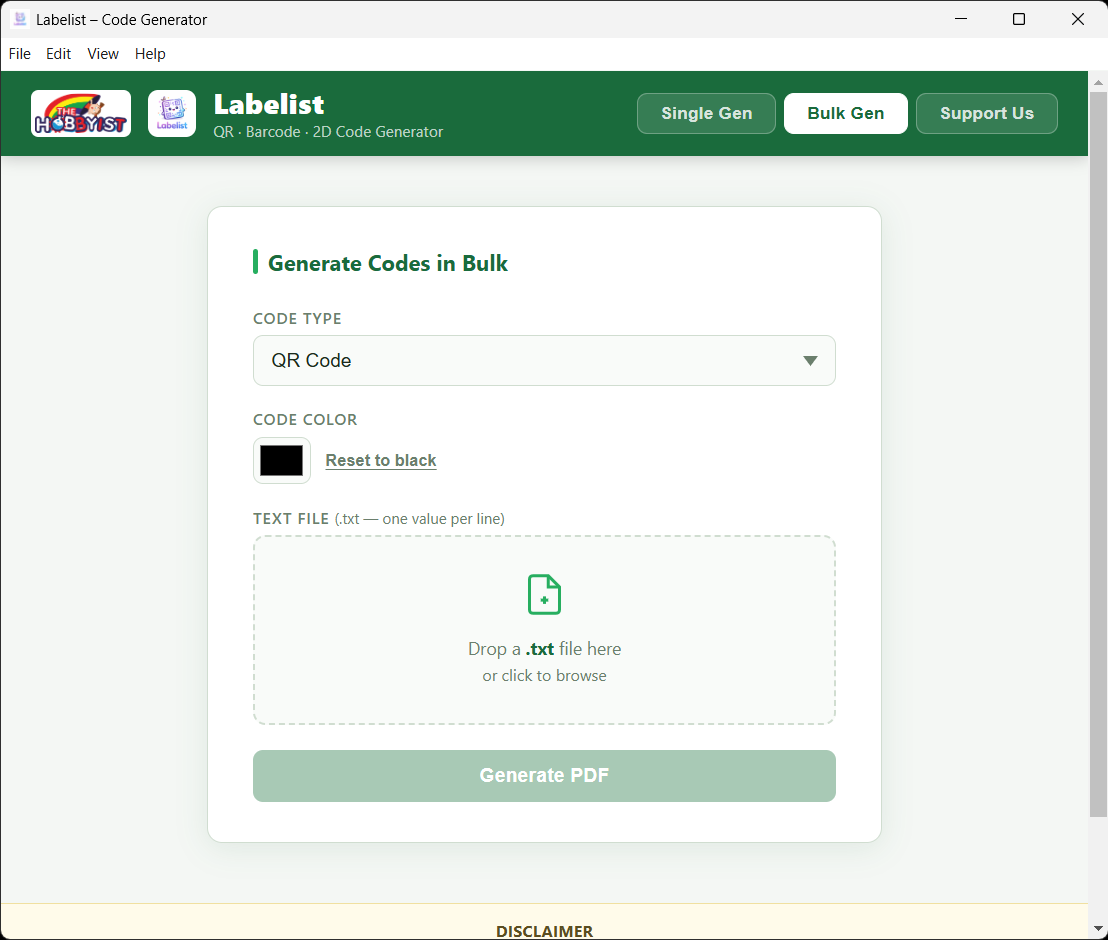
Single mode lets you type in a value, choose your code type and color, and instantly preview and download the code in your preferred format. Bulk mode lets you drop in a plain .txt file with one value per line — Labelist generates all codes in one click and packages them into a single, ready-to-print PDF.
Built as a native Electron desktop app, Labelist runs on Windows and macOS with no internet connection required. Zero background services, zero telemetry, zero cloud dependency. Just fast, reliable code generation on your machine.
▶️ Watch Labelist in Action
See how Labelist generates QR codes, barcodes and 2D codes — single and in bulk — in under two minutes.
💡 Who Uses Labelist
⬇️ Download — Free

Available free on Microsoft Store. Installs in seconds, auto-updates included.
Not sure which to pick? The Universal build runs natively on both Intel and Apple Silicon Macs.
🚀 How to Use Labelist
❓ Frequently Asked Questions
Is Labelist completely free? +
Yes. Labelist is 100% free — no paid tiers, no subscriptions, no watermarks. Download it from the Microsoft Store at zero cost. It is free for personal and commercial use.
What code formats can Labelist generate? +
Labelist generates three code types: QR Code (standard ISO 18004 QR), Barcode (Code 128) — the most common linear barcode used in retail and logistics, and 2D Code (PDF417) — a high-capacity stacked 2D barcode used for documents and IDs.
Does it work without internet? +
Yes. Labelist works 100% offline. All code generation happens locally on your device. No data is sent to any server. You can use it in air-gapped environments with no issues.
How do I generate barcodes in bulk? +
Click the Bulk Gen tab. Prepare a plain .txt file with one value per line (e.g., one product code, URL or SKU per line). Drop the file into the app or click to browse. Select your code type and color, then click Generate PDF. Labelist creates all codes instantly in a single multi-page PDF.
What file formats can I export codes as? +
Single mode: export as PNG, JPG or PDF. Bulk mode exports all codes into a single multi-page PDF that is ready to print.
Is Labelist available for Linux? +
Currently Labelist is available for Windows (Microsoft Store) and macOS (Intel, Apple Silicon, and Universal DMG). Linux support via AppImage is planned for a future release.
☕ Support Us
Labelist is free for everyone. If it saves you time, consider buying us a coffee — every contribution helps us keep building and improving our apps.
Scan with any UPI app to pay

Google Pay · PhonePe · Paytm · Any UPI app